
How to Earn Badges
Welcome to the Multimedia Lab! The badge training program is your guide to mastering skills you will need as a Multimedia Lab employee.
Step 1: Getting Started
- Go to https://www.badgelist.com/BYU-Multimedia-Lab#
- On the right side of the page, click Join the Group.
This group is where you can access all of the badges available as a Multimedia Lab employee.
Step 2: Join a Badge
- Find badge titled “Getting Started” badge.
- Click Join Badge.

Joining a badge allows you to submit evidence for each of the requirements. The requirements for most software technology badges follow a similar format:
Skill Demonstration – Contact the Sage (a fellow employee) of the tool you are learning and demonstrate your knowledge of the various features listed in the requirement.
Complete a project – Create a project demonstrating your ability to use the tool.
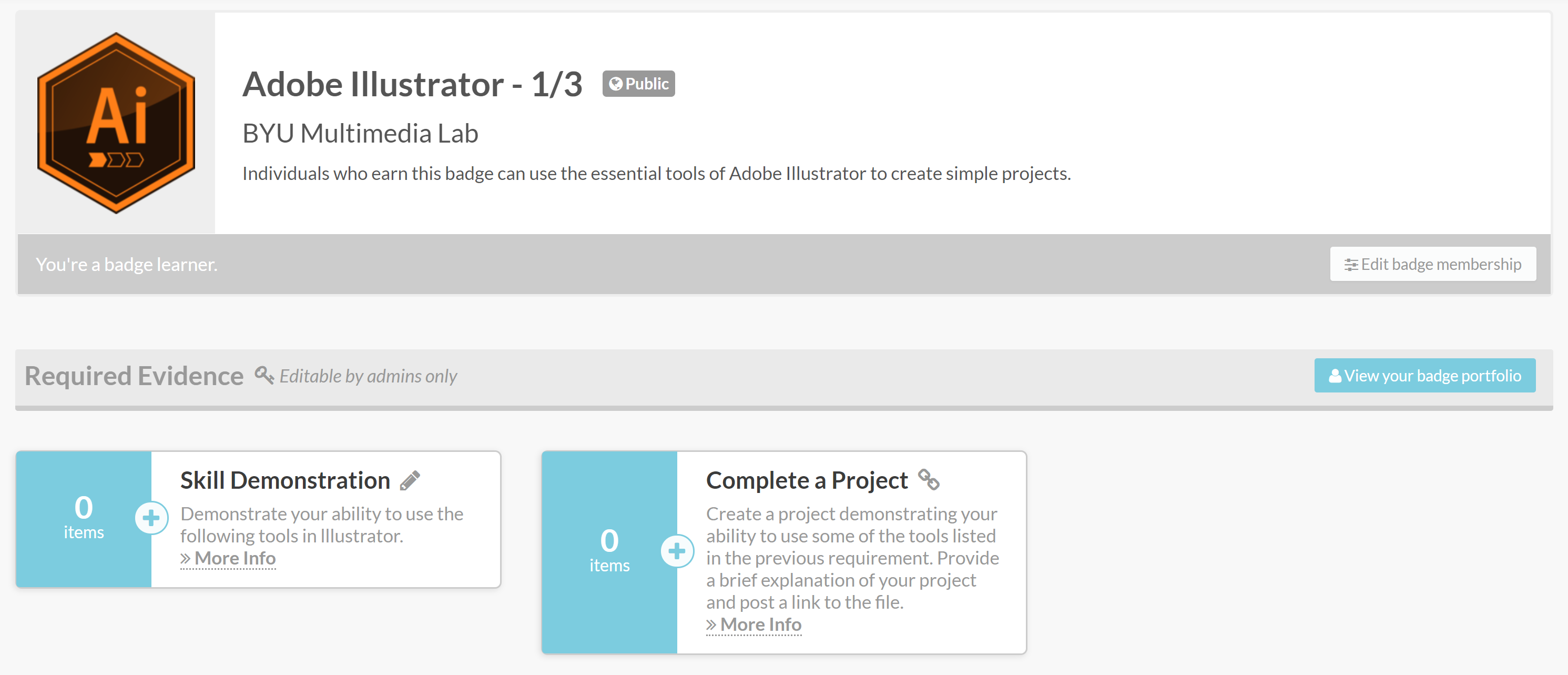
Step 3: Submit Evidence
- Click More info to view a requirement’s description.
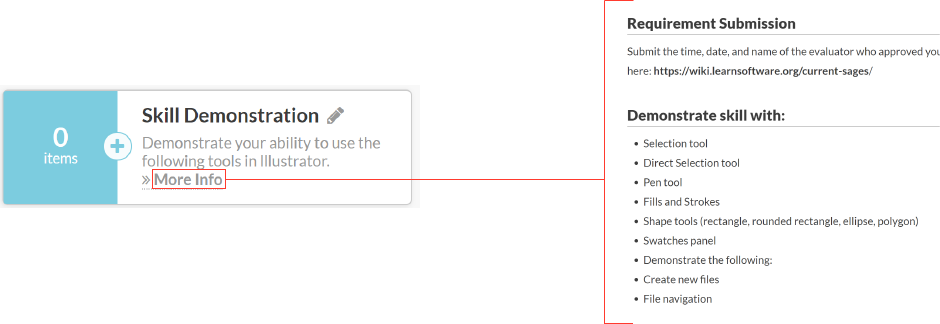
2. There are two options for submitting evidence: Click Post your evidence at the bottom of the requirement page. Or Click the + symbol on the badge page.
 3. Follow the instructions for submitting the requirements evidence. When the required evidence is a link to your files, put your files in a permanent cloud storage system and use a link without editing permissions.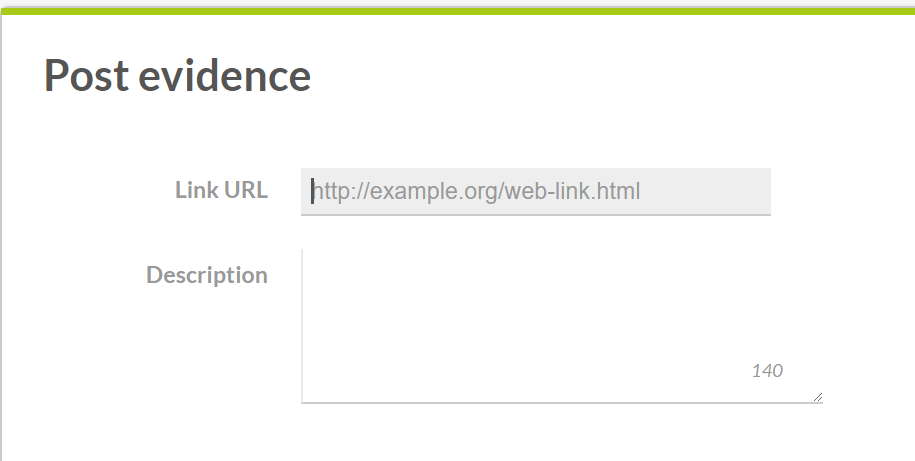
4. Click Post evidence.
5. Repeat this process for each of the badge’s requirements.
Step 4: Pass Off with Sage
Get in contact with the Sage of the program and have them look over your project. They need to pass you off before you can complete the next step.
Step 5: Request Feedback
- Click Request feedback once you have added evidence for each requirement. This submits the badge to be reviewed.

Step 6: View/Share Your Badges
- Click your username in the top-right corner of the screen.
- Click Badge Profile.
- Click into the badge you want to share. Click Share the badge.
